Pages

Search This Blog

Showing posts with label Smart Board. Show all posts

Wednesday, October 27, 2010

Smartboards need Smart Teachers

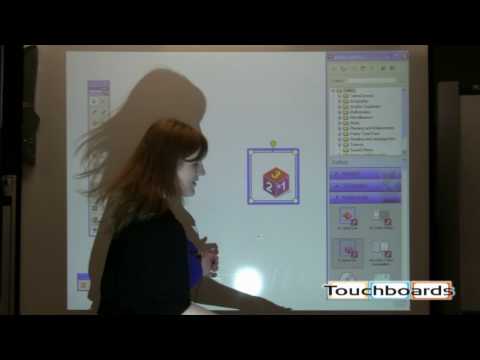
In the last week, after our training from Faisal, I was really struck by how well the mimeo worked.  I have heard of mimeos hiding in closets in some districts and I personally know some teachers that have Easyteach boards in their rooms that they never touch. Why?  They lack training.  It is not a good idea to spend money on technology and not FULLY train teachers how to use them.  I had no training when I received my Promethean board. It took a me a year to fully understand how to use all the features and I would have used it for more if I had been trained for a few full days.  The training has to involve not just the features, but the content area toolbars and resources.  Teachers need TIME to build or change resources.  Unfortunately, districts want the biggest bang for their bucks, so they choose increased technology over training.  If we had the chance to learn our craft, we would be more effective and could turnkey our knowledge with other teachers in our district during district professional development.  I am seeing a trend toward this area in some schools, simply because districts cannot afford to bring people in from outside.   It is not enough.
If there is a teacher in a school who knows what they are doing, we can use prep times to be in their rooms and learn from them as they use the technology.  Both can get professional development hours for this.  We started off in the field as simple observers in our fieldwork classes, and it is still a wonderful method of learning as we attempt to keep up with the latest innovations in education. Here is a district goal outlined by Alan November, senior partner at Educational Renaissance Planners in Evanston, Illinois:
Since this is the job I am performing right now, Technology Integrationist, I am more aware than ever of the lack of technology education our teachers have.  The little things like saving to a jump drive and printing in greyscale are big dilemmas to teachers who are now expected to provide interactive lessons using Smart boards.  I only hope that we move away from the drive-by trainings that don't provide the ongoing assistance teachers really need.  Only some of the teachers are comfortable with screencasts and webinars, a huge population of teachers need hands-on training that can be repeated as they need it. As I try to squeeze such trainings into lunch periods and preps, I get frustrated.  I feel like every other teacher feels when their students are just about to complete an objective and the bell rings.  I will be pushing for some substitute coverage so I can get more time with individual teachers.  Luckily I work in districts that have technology-rich goals, so I may actually get somewhere.  
    Enhanced by Zemanta

    Tuesday, October 19, 2010

    Technology-enabled Substitutes

    Yesterday, The substitutes of one of the school districts I work for participated in professional development. They learned how to access the teacher's websites and to use the Smartboards. Technology-enabled substitutes will be able to carry on with lessons in the technology-enabled classrooms when the teachers are away. The laptops can still come out and the students do not have to complete worksheets all day long.
    The substitutes spent the morning in trainings and the afternoons with teachers in their rooms learning how technology is used in the classroom. This experience was the first of its kind that I ever witnessed. The principal also conducted a training session with the substitutes on how to be an effective substitute in the district. This planning for school-wide and student success is commendable. We will provide substitutes with a list of every teacher's website until the district website can be updated to include that information. They were also given directions for laptop basics and turning on projectors and smartboards.  An issue still outstanding is the ability to log into the teacher laptops.  A substitute username and password will have to be enabled on all machines and laptops that are connected to the smartboards. It would
    be helpful to create hotsheets for each room that is technology enabled for the subs with quick reference sheets for the programs the students may be using.  We should also create a substitute website that has information and training tutorials.  Since the technology-enabled substitutes will be called first to serve in those classrooms, it does provide incentive for them to learn on an ongoing basis.
    UPDATE!
    On a sad note, in another school, the susbstitutes  allowed students from another class to use the 6th grader's laptops.  Substitutes need to follow the plans we leave for them as teachers, they definetly shoud never allow students to tell them what they "usually" do, because the students "usually" lie  to substitutes.  When in doubt, check with another teacher nearby, call the office and just maintain that it is your responsibility to follow the teacher's plans.  As a teacher it is hard enough to miss a day with our class, it causes huge problems when susbtitutes deviate from our plans.  We spend time getting those plans ready and it is frustrating  when we come back to havoc. In this instance, the offending students tried to visit blocked sites, they changed the students backgrounds and settings and added items to their favorites.
    Enhanced by Zemanta